
Next Generation Live Viewing
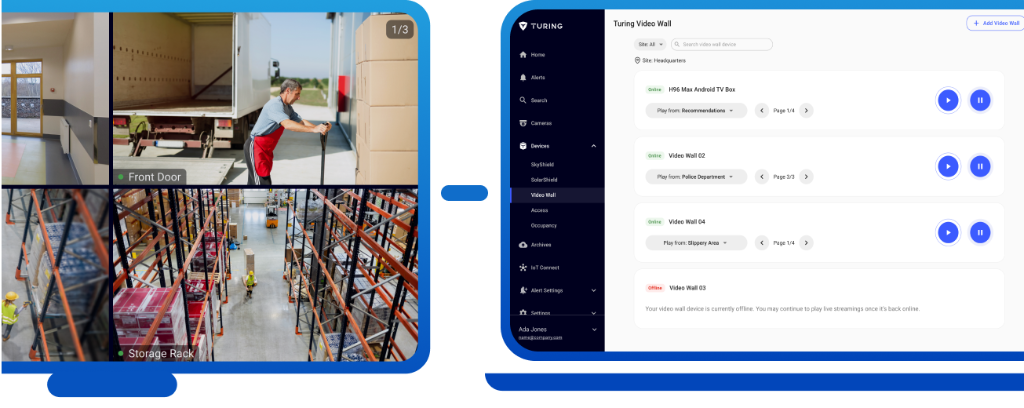
Turing Video Wall is a dedicated device that streams up to 16 camera feeds to any display with lightning-fast responsiveness. Each camera stream requires a Core or Essential License to activate. For customers with vital, time-sensitive viewing demands, the Turing Video Wall is the next generation viewing platform of choice.
Key Benefits

Plug & Play
Quick and easy setup with no additional software or hardware required

Spend Less, Get More
Support for up to 16 camera feeds with lightning-fast responsiveness

Low Bandwidth
Local connection streaming reduces upload and download traffic burden

Simple Monitoring
Save time with intuitive live viewing and camera feed management

Cloud Integration
Effortlessly control via Turing Vision centralized web dashboard

Wide Compatibility
Works with various display systems and supports all Turing cameras
Core Features
Local Connection
Stream camera feeds using local connection to significantly reduce bandwidth burden on your network
HDMI Connectivity
Simple HDMI connection to seamlessly stream live view cameras to your professional display system
Turing Vision Dashboard
Centralized web dashboard to effortlessly control and manage multiple Turing Video Wall devices
16 Channel Streaming
Support up to 16 concurrent camera feeds with lightning-fast responsiveness
Video Wall Product
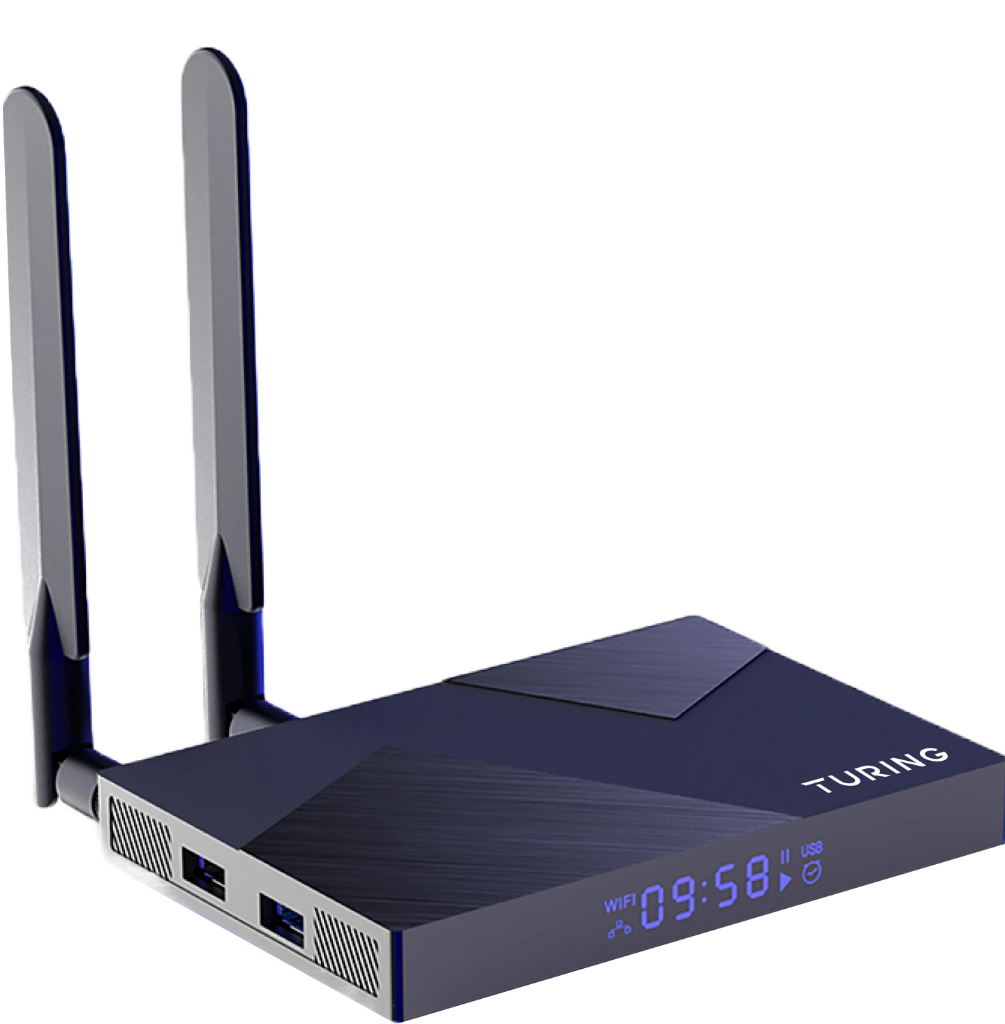
TF-TVWALL-A
Turing Video Wall - Next Generation Live Viewing. Stream up to 16 camera feeds with lightning-fast responsiveness.
Technical Specifications
Chipset
Quad-Core Cortex-A76 & A55
GPU
ARM Mali-G610 MP4
Max Channels
16 Concurrent Streams
Video Output
Up to 5120×2880
SDRAM
8GB LPDDR4X
Storage
EMMC 64G
Power Input
DC 12V/1.5A
Connectivity
Gigabit Ethernet, USB 3.0, WiFi
3-Step Easy Setup
Get your Turing Video Wall up and running in minutes
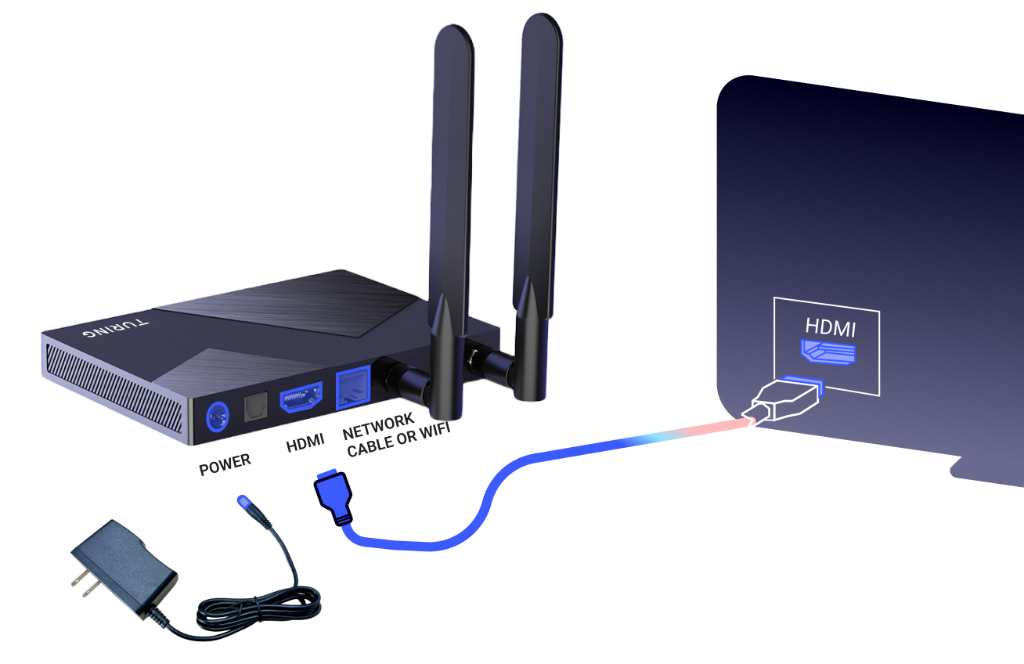
Power & Connect
Connect power cable and network cable to the Turing Video Wall device

HDMI Setup
Connect the device to your display using HDMI cable for output
Configure
Access Turing Vision dashboard to add cameras and configure feeds