
Unleash the Power of Industry Leading Access Control
View all Your Access Control Sites From One Centralized Location
Easily manage and simplify your security workflow with all your access control sites on one centralized platform.
Find Events Fast with Event Type & Date Filtering
Experience the power of Turing's filtering capabilities - effortlessly track and search for any entrance or exit event with ease.
Instantly View, Download, and Archive Events
Streamline your security process by having instant access to important footage and the ability to view, download, share, or archive it.
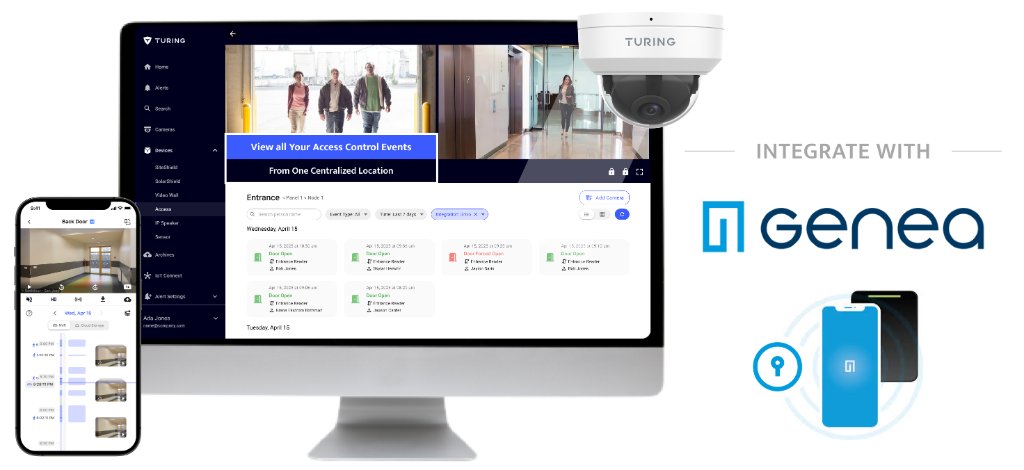
Harnessing the Power of Genea Access Controlto Elevate Your Security
Centralized Management
View all your access control sites from one centralized location
Enterprise Security
Enterprise-level central management with SSO, audit logs, and user group management
API Integrations
The open API enables seamless cloud integration with partner systems like Immix, ensuring efficient data exchange, enhanced functionality, and optimal performance
Get Started with Genea Integration
Enable Genea Integration
Go to Devices → Access to turn on Genea integration. Click + Add Access Control and toggle on Genea Integration. Enter the API Key provided by Genea to the Dealer Administrator.
Link Genea Account
Click the Link Genea Account button and enter your account credentials. Add Control Panel ID to select desired panels for integration.
Map Cameras to Readers
After Step 1 is completed, map your Genea readers to Vision cameras. You can map up to 4 cameras to one Genea reader. Only CORE AI licensed cameras can be mapped.
Start Using the Integration
View camera live streaming by clicking the door icon and open doors remotely from the Access page. Search Genea Events by event types and filter by date.